What should a mobile detailing estimate app do?
A mobile detailing estimate app should remember your services and size tiers, show your cost and profit before you send, make a clean PDF and turn the yes into an invoice, all from your phone in a driveway with no signal. Anything less is a fancier text message.
This page is a challenge, not a review. ScopeBid, which we make, gives you 3 free quotes. We built a plan that uses exactly those three to set up the habits that make every later quote faster, whichever app you end up keeping.
Detailing estimate questions
What should a mobile detailing estimate app do?
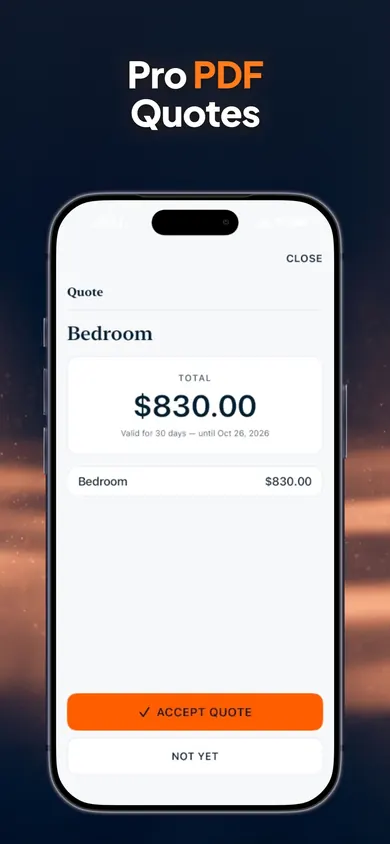
At minimum: save your services and extras so you are not retyping them, price by vehicle size, show what the job costs you before you send it, produce a clean PDF, and turn an accepted quote into an invoice. Working offline matters if you quote in parking garages and driveways.
Can I really finish this challenge for free?
Yes. ScopeBid's first 3 quotes are free with full PDFs, which is exactly what the challenge uses. Everything you create stays viewable and exportable whether you subscribe or not. Unlimited quoting, the full Business Memory, job costing and invoicing are ScopeBid Pro, billed monthly or annually.
Does ScopeBid take card payments?
No. It records payments you receive by cash, cheque, e-transfer, bank transfer or a card terminal and tracks the balance, but it does not process cards or move money.
Can the customer approve the quote on my phone?
Yes. ScopeBid supports in-person acceptance with an on-screen signature, so a customer can approve at the car.
How do I price SUVs and trucks differently?
A common approach is size tiers. Our price-grid builder on this page turns your sedan prices into SUV and truck prices using percentages you choose. In ScopeBid you save each as a service in your local price book, with your own units.
Does the app work without signal?
Quoting, PDFs, invoices and records all work with no internet, and there is no account or cloud copy of your business data. You can export a backup from Settings.
The 3-quote challenge timeline
Before quote 1 · 20 minutes
Pull your last 10 jobs out of your texts
Scroll your messages and write down each job: vehicle, services, extras, what you charged, how long it took. Ten is enough to see your real prices, which may not match the ones on your flyer. Then build size tiers with the grid builder below.
Quote 1 · the next real request
Quote cost first and look at the profit
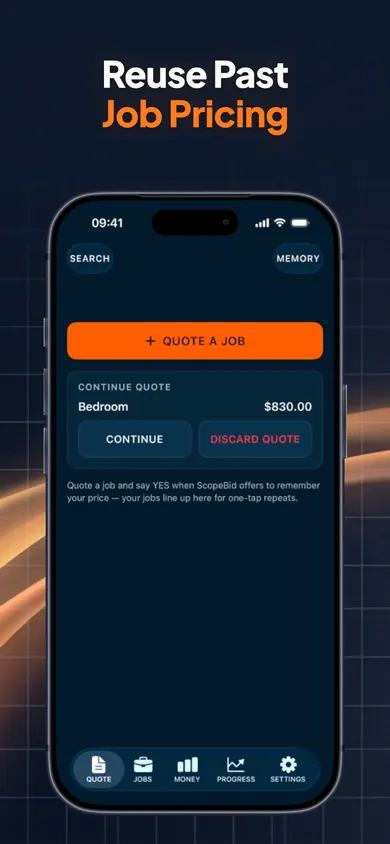
Enter labor and products and let ScopeBid suggest a price, or enter your usual price first. Before sending, read Profit Guard: customer price, direct cost, estimated gross profit, gross margin and markup. Add your logo, terms and a deposit, then send the PDF. Say yes when it offers to remember the price.
Quote 2 · a different vehicle
Reuse, don't retype
Start from the job you saved. Business Memory shows the source job and date; change the size, add pet hair or odor treatment from your price book, add a trip charge if the address is far. The quote starts from a real past job instead of a blank page.
Quote 3 · the one that gets booked
Take it all the way to paid
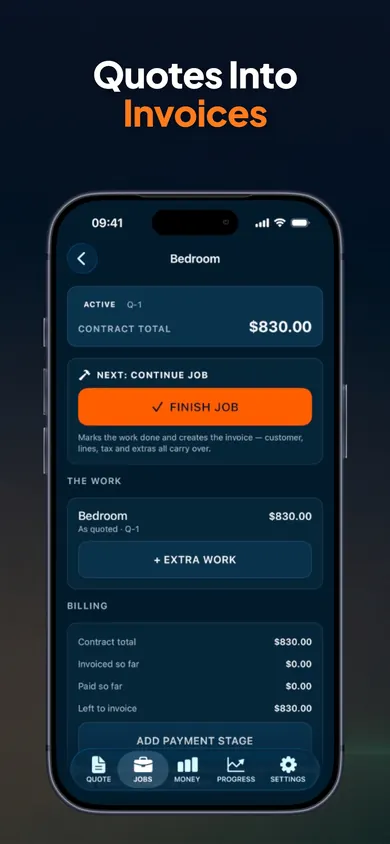
Record the deposit. If the customer adds a headliner clean on the day, add it as extra work with its own price. Turn the approved quote into an invoice without retyping, record the final payment, then spend ten seconds on closeout: actual time and products used.
After quote 3
Decide with real numbers
You now have three jobs with quoted vs actual cost side by side. If that comparison changed a price, the app earned a look at Pro. If not, export your PDFs and keep the price grid; it still works on paper.
Proof from the App Store screenshots
Who this challenge is not for
- Shops that need online booking. ScopeBid quotes and invoices; customers do not book through it.
- Anyone who needs card processing in the app. It records payments, it does not take them.
- Multi-van teams with dispatch and payroll. It is built for owner-operators on one iPhone.
- Detailers with one fixed menu price per service. If every car costs the same, a printed menu may be all you need.
Detailing price grid builder
Type your own sedan prices and the percentage you add for bigger vehicles. We do not suggest prices; these are yours. The grid becomes your price book in ScopeBid, or a card for your dash.
| Service | Sedan | SUV | Truck/van |
|---|
Enter at least one sedan price to fill the grid.
A mini story: the $180 text
An illustration, not a real customer. A message comes in at 9 p.m.: "How much for a full detail?" The detailer replies "$180" from memory, the price for a sedan. The car turns out to be a three-row SUV with a dog. Four and a half hours later, the job that felt like a good day paid less per hour than a quick exterior.
Run the same night through the challenge. The reply starts from a saved full-detail job, the size is set to SUV, pet hair is a line from the price book, and Profit Guard shows the margin before anything is sent. The customer may still say yes to the higher number, or not. Either way it is a decision, not a guess.
A price book turns "about $180" into a quote you meant to send.
Honest limits
- Three free quotes, then Pro. Your first 3 quotes are free with full PDFs. Pro (monthly or annual; the annual plan may include a free trial for eligible new subscribers) adds unlimited quoting, the full Business Memory, job costing and invoicing.
- No card processing, no booking, no accounting. You set your own tax rates and stay responsible for compliance.
- A design decision we made: no account and no cloud copy of your business data. It means quoting works with no signal; it also means backups are your job, from Settings.
- iPhone only. If your helper uses Android, they will not see your price book.

Get ScopeBid free
Start the challenge with your next detailing request. Three quotes, no account, works offline.

ScopeBid: Estimate & Invoice on the App Store · Updated November 2026
Related
- ScopeBid: the estimate and invoice app for contractorsQuote jobs from saved pricing, see your margin before you send, share a PDF and turn the approved quote into an invoice. Works offline.
- What to include in a car detailing estimateThe 12 lines every car detailing estimate needs, from vehicle size to condition fees. Free checklist with a score, plus how to send it from iPhone.
- Estimate vs quote vs bid, and 9 more terms new contractors mix upEstimate, quote, bid, proposal, change order, markup vs margin: a plain glossary for new service pros, with a 20-second sorting game.
- House cleaning: flat rate vs hourly pricingFlat rate or hourly for house cleaning? Answer 3 questions, then test both methods on the same house and see your real hourly rate.