Which streaming service should I cancel?
Cancel the service nobody in your home has opened in the last 14 days, most expensive first; keep one or two you actually watch, and rotate the rest when a show you want arrives. Monthly "what I'd cancel" columns tell you what one writer would drop. Your own viewing is a better guide than anyone's opinion of the catalog.
Price tells you what it costs. Silence tells you it's not worth it.
No. 1
How to pick a streaming service to cancel in 3 steps
- List every service and its real price. Use your bank or card statement, not memory. Annual plans count at one-twelfth.
- Mark what got watched. Last 14 days, anyone in the house. Ask before you guess.
- Cancel the quiet, expensive ones first. Note each paid-through date so you know when access ends and when to rejoin.
Three steps, ten minutes, one less charge.
No. 2
A household with six services
Made-up numbers, for illustration.
Six services, about $78 a month between them. Two got watched in the past fortnight; one is the kids' and stays. The other three were signed up for a single series each, finished in spring.
Cancelling those three trims about $31 a month, roughly $370 a year, and nobody notices until a new season lands. Then they rejoin one, for one month.
No. 3
Who this is not for
- Homes with one or two services they watch every week. Keep them.
- Anyone on a bundle through a phone or internet plan: the price is tied to that bill, so check with the provider.
- People who want an app that cancels for them. MoneyShield doesn't; it shows you the route and reminds you to check it worked.
No. 4
Honest limits
- This page uses only prices you type. We don't list service prices because they change and vary by plan and region.
- Savings figures are estimates. Taxes, add-ons and annual plans can move them.
- In MoneyShield, the full Cancel First ranking is part of MoneyShield Plus. Everyone starts with 7 days of Full Protection, no payment needed, then moves to the free plan automatically.
No. 5
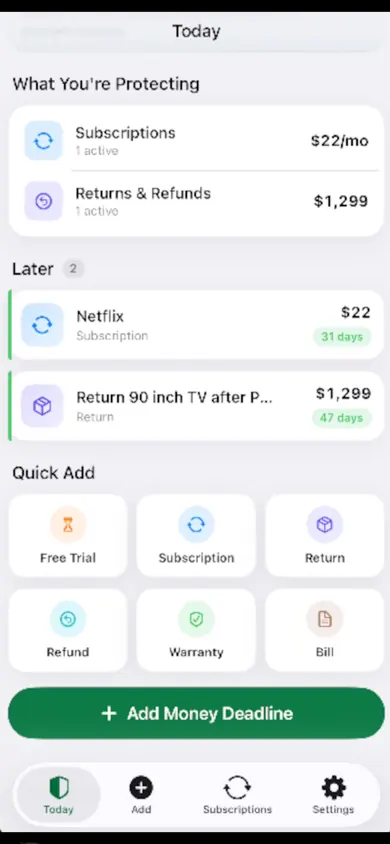
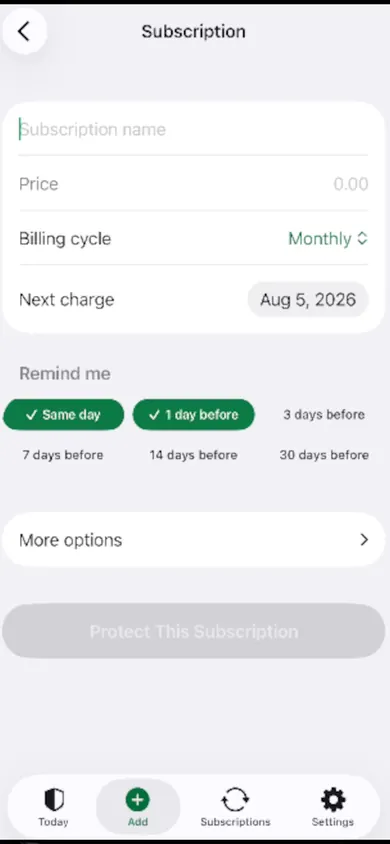
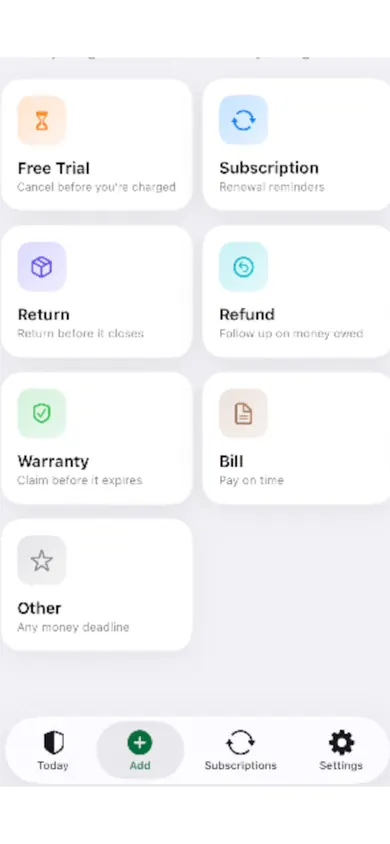
Proof: the screens that hold your cancel list
No. 6
The 4-question cancel quiz, one service at a time
Stuck on one service? Answer four questions about it.
Quiet, solo and not coming back soon: that one goes.
Streaming cancel questions
Which streaming service should I cancel first?
The one nobody in your home watched in the last two weeks, starting with the most expensive. Price alone misleads: a cheap service you never open wastes more than a pricier one you use every night.
Is it worth rotating streaming services?
For many households, yes. Keep one or two, cancel the rest, and switch when a show you want arrives. You lose nothing you own, though watch history and profiles can depend on each service's rules.
Do I lose access right away when I cancel?
It depends on where you subscribed and the service's terms. Check the paid-through date shown in your account before you cancel, and write it down. If you subscribed through Apple, Apple Support (published September 29, 2026) shows the steps: Settings, your name, Subscriptions.
How much do I spend on streaming a year?
Add up the monthly prices from your bills and multiply by 12; the calculator on this page does it as you type. Annual plans should be divided by 12 first so the totals compare fairly.
Should I cancel an annual plan in the middle of the year?
Cancelling usually stops the next renewal rather than refunding the months you already paid. Note the renewal date and decide a few days before it instead.
Does MoneyShield cancel subscriptions for me?
No. MoneyShield points you to the official cancellation route, gives you a checklist and reminds you to check the cancellation went through. You cancel yourself, and it never connects to your bank.
Make it a habit with MoneyShield
Put every service in one private list, get a reminder before the next charge, and do a two-minute review each month. One design decision we made: no bank connection and no email scanning, so you type what you pay. It is slower on day one and it means your money data stays on your iPhone.

Make it a habit with MoneyShield on the App Store · Updated November 2026
Related
- MoneyShield: the private subscription tracker for iPhoneSee every subscription, its yearly cost and the next charge date, with reminders before renewals and trials end. No bank login. Free on iPhone.
- Cancel through Apple or the company? A 4-tap route finderAnswer up to 3 taps and see the right place to cancel: Apple, Google Play, PayPal or the company itself. Official steps, checked November 2026.
- Helping an elderly parent with subscriptions: questions answeredFor adult children sorting a parent's recurring charges: a live yearly-cost counter, plain answers on cancelling, and how to keep your parent in charge.
- How many subscriptions is too many? A 6-question quizNo magic number: six yes-or-no questions show if your subscriptions are more than you can track, plus a simple first-week plan for beginners.