
Can a gym make you cancel in person?
In November 2026 no federal rule in force flatly bans in-person-only gym cancellation, but if you joined online, federal law requires a simple way to stop recurring charges, and the FTC has sued a gym chain over hard cancellations. Your contract and your state's law decide the details. Either way, cancel in writing and leave with proof.
Updated November 2026 · Seven facts below, each with its date and source.
The free tool: your front-desk checklist
The six steps in the box at the top are the whole tool. Work through them on your phone in the parking lot, or screenshot them. When the ring is full you have what a dispute would ask you for: the date, the method and a confirmation.
Copy this request (edit the brackets)
To [gym name], [club address]: I am cancelling my membership, member number [number], effective as my contract allows. Please stop all recurring charges and confirm the cancellation in writing. Dated [date]. [Your name and signature]
Cancel the contract and the payment, in that order, and keep proof of both.
A Monday at 6:10 p.m.
A member walks into the club with a printed form. The front desk says only the manager can take it, and the manager works days. Instead of leaving with nothing, the member asks the desk to date-stamp a copy, takes a photo of it on the counter, and writes down who accepted it. That night the photo, the date and the paid-through date go into MoneyShield, with a reminder set for the day after the next billing date.
If the charge shows up anyway, the member isn't arguing from memory. That's the difference a record makes.
7 facts about cancelling a gym membership, dated
Checked on the original sources in November 2026. Laws move, so each card shows when its fact was true.
July 8, 2025
The federal click-to-cancel rule was struck down.
The Eighth Circuit granted the petitions for review and vacated the FTC's Negative Option Rule (opinion). There is no federal click-to-cancel rule in force as of November 2026.
January 30, 2026
The FTC restarted the process.
The FTC sent a draft Advance Notice of Proposed Rulemaking on negative option plans to OMB for review (FTC press release). An advance notice is an early step, not a rule.
2010, still in force
Online sign-ups come with a federal duty.
ROSCA requires sellers of online negative option plans to provide “simple mechanisms” to stop recurring charges (15 U.S.C. 8403).
August 20, 2025
The FTC sued a national gym chain over cancelling.
The FTC's complaint against Fitness International (LA Fitness) alleges cancellations were accepted only 9 a.m. to 5 p.m. on weekdays and only through one Operations Manager (complaint). These are allegations, not court findings.
Last reviewed August 28, 2026
Stopping the payment is not cancelling.
The CFPB says revoking an automatic payment does not cancel what you owe; to end a gym membership you also cancel with the company (CFPB).
Published September 29, 2026
App-billed fitness plans cancel in Settings.
If a fitness app bills you through Apple, cancel in Settings, your name, Subscriptions (Apple Support). A gym's own membership is usually separate.
Always
Your contract and your state fill in the rest.
Notice periods, fees and accepted methods come from your agreement and state law, which differ. Your state attorney general's consumer office is the place to ask.
Gym cancellation questions
Is there a federal click-to-cancel law for gyms right now?
Not as a rule in force. The FTC's 2024 Negative Option Rule was vacated by the Eighth Circuit on July 8, 2025 (court opinion). On January 30, 2026 the FTC said it had sent a draft advance notice on negative option plans for review (FTC). Check ftc.gov for anything newer.
Can I just stop the payment at my bank?
You can revoke permission for automatic payments with the company and your bank, but the CFPB says “Cancelling an automatic payment does not cancel what you owe,” and names gyms as an example (CFPB, last reviewed August 28, 2026). Cancel the membership too.
What if the manager who handles cancellations is never there?
Put your request in writing, date it, hand or mail it in, and keep a copy or a photo. Ask for a confirmation number or a signed receipt. Your contract's cancellation clause tells you which methods it accepts.
Does it matter that I signed up online?
It can. Federal law (ROSCA, 15 U.S.C. 8403) requires sellers using an online negative option to provide “simple mechanisms” to stop recurring charges (statute text). How it applies to your gym is a legal question for your state attorney general or a lawyer.
How much notice do gyms require to cancel?
It depends on your contract and your state. Many contracts set a notice period before the next billing date. Read the cancellation section and write down the last day you can cancel before the next charge.
Can MoneyShield cancel my gym membership for me?
No. It points you to the official route, gives you a step-by-step checklist and a copy-ready request template, stores your proof and reminds you to check the cancellation went through. You do the cancelling.
General information, not legal or financial advice. For your situation, contact your state attorney general's consumer office.
Ways to cancel a gym membership, compared
| Method | Proof you keep | Watch out for |
|---|---|---|
| At the front desk | Date-stamped copy, signed receipt, photo | Only certain staff or hours may accept it |
| Copy plus tracking or delivery receipt | Mail time counts against your notice period | |
| Online or in the gym's app | Confirmation email or screenshot | Not every gym offers it |
| Stopping it at the bank | Your written revocation | Doesn't cancel what you owe (CFPB) |
Where MoneyShield fits
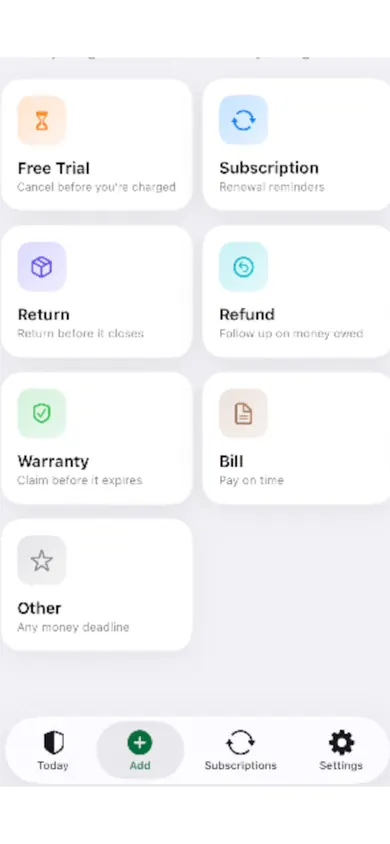
MoneyShield keeps the gym next to your other subscriptions, with its next charge and a cancel-by date. Its Cancellation Assistant gives a step-by-step checklist and copy-ready templates, then holds your confirmation number, paid-through date, screenshot, notes and refund outcome. A follow-up reminder asks whether it really stopped.
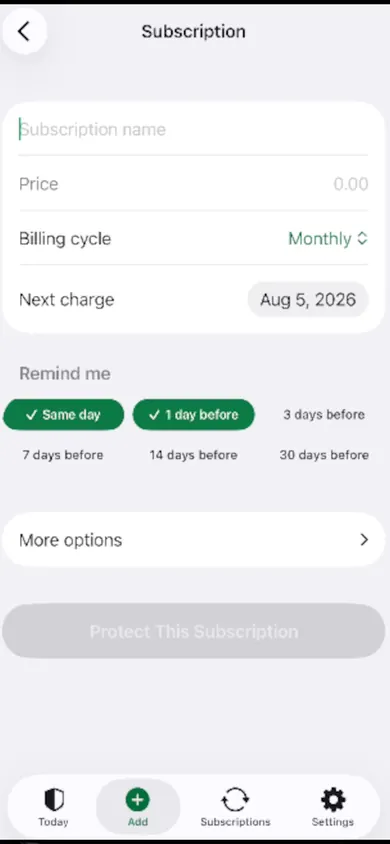
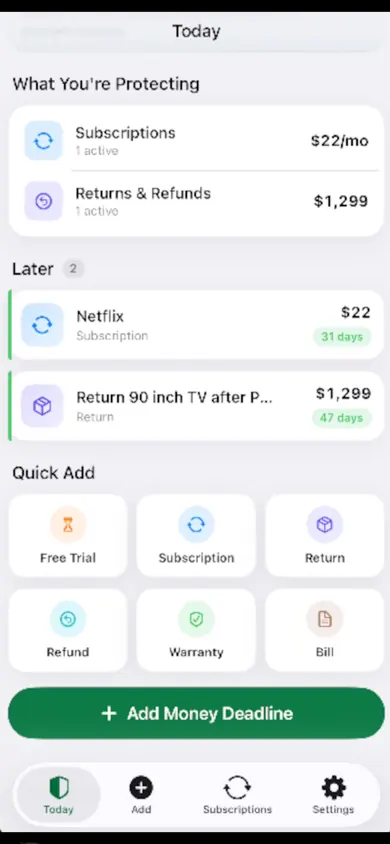
Honest limits: you type in each membership; there is no bank connection or email scanning. MoneyShield doesn't cancel for you or guarantee refunds. You start with 7 days of Full Protection at no charge, then the free plan; Plus ($3.99 a month, $24.99 a year or $59.99 once, U.S. prices) adds unlimited items, alerts up to 30 days ahead and the receipt photo vault. A design decision we made: the Protection Record only counts cancellations you confirm, so the savings number never flatters you.
If you only ever have one membership to cancel, the checklist above and a paper folder are enough.
Get MoneyShield free before your next billing date
Add the gym, set the cancel-by reminder, keep the proof in one place.

Related
- MoneyShield: the private subscription tracker for iPhoneSee every subscription, its yearly cost and the next charge date, with reminders before renewals and trials end. No bank login. Free on iPhone.
- Black Friday subscription deals: plan the renewalA Black Friday subscription deal usually renews at the regular price. See when your deal ends, what year two costs, and set a reminder first.
- Cancel through Apple or the company? A 4-tap route finderAnswer up to 3 taps and see the right place to cancel: Apple, Google Play, PayPal or the company itself. Official steps, checked November 2026.
- Set a free trial reminder on iPhone, step by stepA free trial reminder on iPhone that fires before you're charged: a live cancel-by countdown, a free calendar file, and a 3-step app guide.