
How do you track shift differential hours?
Log the exact start, end and unpaid break of every shift, note which of those hours fall inside your differential window, and keep a running total per workweek, not per pay period. Then compare your total night hours, and the night line, with your pay statement. That is the whole habit: hours first, money second.
- Start and end time, to the minute.
- Unpaid break, and whether you were actually relieved.
- Hours inside the differential window (for example 7 pm to 7 am, from your contract).
- The workweek it belongs to, by your employer's definition.
- Any weekend or holiday premium on top.
Night pay mistakes start as hour mistakes.
What tracking night shifts looks like in EarnCheck
Store screenshots, annotated. We added the marker circles; the app does not draw them.
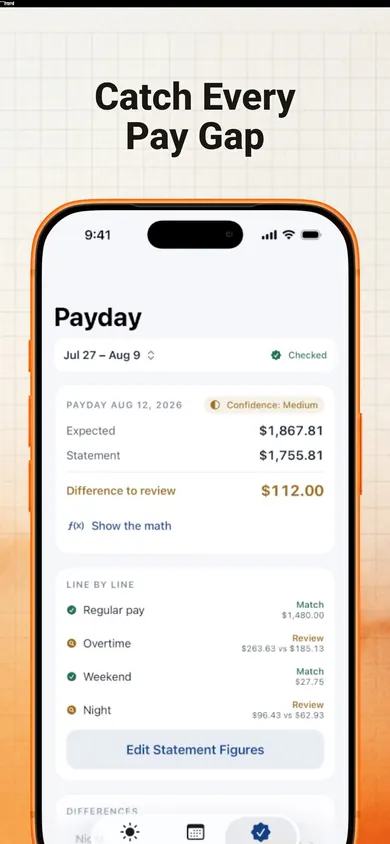
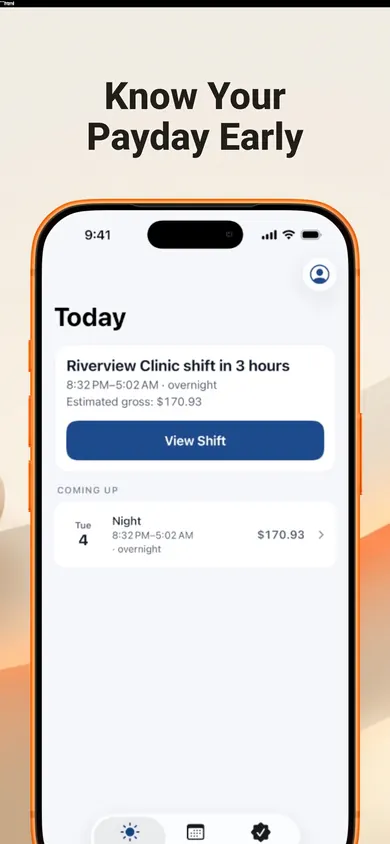
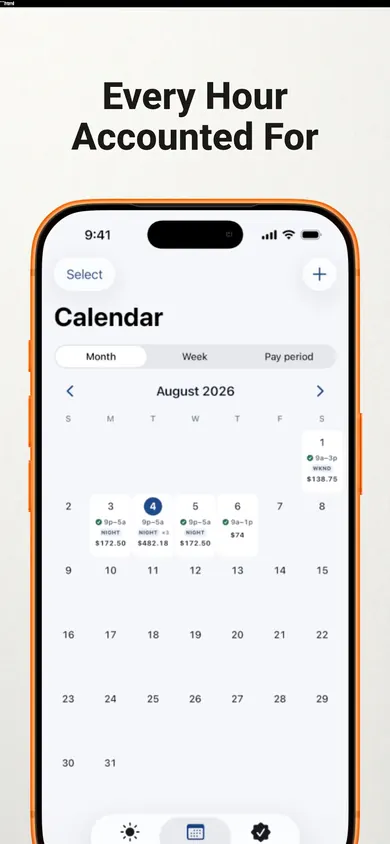
Shift differential vs overtime: a comparison strip
Extra pay for when you work: nights, evenings, weekends. Set by agreement, not required by federal law.
Extra pay for how much you work: over 40 hours in a workweek under federal law, at 1.5 times the regular rate.
The differential goes into the regular rate, so it raises your overtime rate too.
Differential is about when. Overtime is about how much. They stack.
Shift differential questions
Is shift differential required by law?
Not under U.S. federal law. The Department of Labor says the Fair Labor Standards Act does not require extra pay for night work; it is a matter of agreement between employer and employee. Your contract, union agreement or state rules may say more.
Does shift differential count toward overtime?
Yes, in the U.S. Federal regulation 29 CFR 778.207(b) says night shift differentials must be included in the regular rate used for overtime, and cannot be credited toward overtime pay.
How do you calculate overtime with a shift differential?
Add up all pay for hours worked in the workweek, including the differential, and divide by total hours worked to get the regular rate, as the DOL's regular rate fact sheet (December 2019) describes. Overtime hours then earn an extra half of that rate on top of straight-time pay.
Do overnight shifts count on one day or two?
Payroll systems split them differently, which is one reason records drift. EarnCheck keeps an overnight shift as one shift, even when it crosses midnight, and lets you set your employer's real workweek.
Does EarnCheck track night differentials for free?
Not fully. Night, weekend and holiday premiums you define are part of EarnCheck Pro, along with daily overtime and double time. The free version covers one job, a complete first pay period with unlimited shifts, weekly overtime and a payday comparison.
Can EarnCheck tell me if my employer underpaid me?
No. It estimates gross pay from the hours and rules you enter and marks each line Match, Difference to Review or Incomplete Information. A difference is something to review, not proof of an error. It is not payroll and not legal advice.
Worked example: a 48-hour week with nights
Change the numbers to match a week of yours. This follows the federal regular-rate method; your contract or state may pay more.
An estimate of gross pay for one workweek, before taxes and deductions. Not legal or financial advice. A percent differential works the same way once you turn it into dollars per hour.
Honest limits
- Night, weekend and holiday premiums are EarnCheck Pro features. The free version handles weekly overtime and one complete pay period.
- EarnCheck does not calculate taxes or deductions and is not a payroll system.
- It never contacts your employer. It can copy an editable, neutral message for payroll; you decide whether to send it.
- State rules, union contracts and Canadian provinces can differ from the federal rules on this page.
One design decision we made: scheduled shifts are never counted until you confirm them, so a cancelled night cannot quietly inflate what you expect.
How to track night differential hours in 3 steps
- 1Confirm each shift. One tap when it went as planned, or adjust start, end and break.
- 2Set your premium once. Your window and amount, from your contract (Pro).
- 3Check payday. Enter the stub figures; each line shows Match, Difference to Review or Incomplete Information.
Get EarnCheck free
Your record, on your phone. No account, no bank login, no employer login.

EarnCheck: Shift & Pay Tracker on the App Store · Updated November 2026
Related
- EarnCheck: the shift and pay tracker for iPhoneLog shifts, see your estimated gross pay with overtime, then compare it line by line with your pay statement. No account, no bank login.
- Worked 80+ hours in a pay period and got no overtime?Overtime is counted per workweek, not per two-week pay period. See why 80 hours can still owe overtime, and how to check your pay stub calmly.
- Home health aide timesheet printable, with travel timeA free printable weekly timesheet for home health aides, with a column for drive time between clients and a box to check your pay statement.
- Ontario overtime tracker apps, compared honestlyWhich iPhone hours tracker handles Ontario's 44-hour overtime rule? We checked four App Store listings, including our own, line by line.