
Why did I get no overtime for 80+ hours in a pay period?
Because overtime is counted per workweek, not per pay period: under the U.S. federal rule you earn it for hours over 40 in a single workweek, so 80 hours split evenly over two weeks owes none, while an uneven split can owe some even when the total is exactly 80. The mistake runs both ways. Workers expect overtime above 80; some payroll setups wrongly wait for 80 before paying it.
The rule in plain words, from U.S. Department of Labor Fact Sheet #23 (revised October 2019): a workweek is “a fixed and regularly recurring period of 168 hours”, and “averaging of hours over two or more weeks is not permitted.”
Two weeks of 40 is not overtime. One week of 50 is, even if the next week is 30.
The pay period overtime mistake, step by step
- 1
Find your workweek
Ask payroll, or check your handbook: which day and hour does your workweek start? Many start Sunday at midnight, but it can be any fixed time. It does not have to match your pay period, and that mismatch is behind a lot of confusion.
- 2
Split your hours into those weeks
Don't add the whole pay period. Add each workweek on its own. A night shift that crosses midnight belongs to the week it was worked under your employer's rules, so keep it as one shift.
- 3
Apply the right threshold to each week
U.S. federal: over 40 in the week. Ontario: over 44 (Ontario's guide to overtime pay (updated February 2026)). Some states add daily rules: California counts over 8 in a day (California Labor Commissioner overtime FAQ). Your employer or a union agreement may be more generous.
- 4
Compare with the stub, line by line
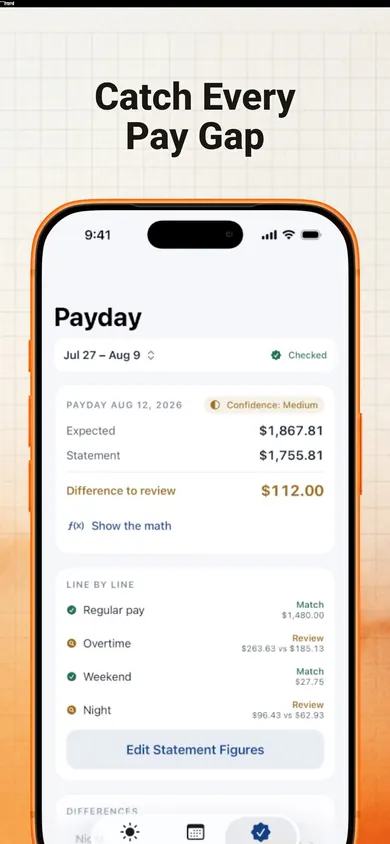
Regular hours with regular, overtime with overtime. Taxes and deductions are a separate question; don't count them as missing pay.
- 5
Ask calmly if something differs
A difference is something to review, not proof of an error. Payroll may have used a different workweek, a timesheet edit or an averaging agreement you signed. Ask first, with your numbers in hand.
| Week 1 | Week 2 | Total | Overtime hours |
|---|---|---|---|
| 40 | 40 | 80 | 0 |
| 50 | 30 | 80 | 10 (week 1) |
| 45 | 39 | 84 | 5 (week 1) |
| 38 | 38 | 76 | 0 |
Overtime and pay period questions
Do I get overtime if I work over 80 hours in a two-week pay period?
Not automatically. Under the U.S. federal rule, overtime is counted per workweek: hours over 40 in a single workweek. Two weeks of 40 hours (80 total) owe no overtime; 50 + 30 (also 80) owes 10 hours of overtime for the first week. U.S. Department of Labor Fact Sheet #23 (revised October 2019) says averaging hours over two or more weeks is not permitted.
Can my employer average my hours over the pay period?
Under the U.S. federal rule, no: each workweek stands on its own. One exception is the “8 and 80” system that hospitals and residential care establishments may use with a prior agreement, where overtime is due over 8 hours a day and 80 hours in a fixed 14-day period (DOL Fact Sheet #54 (revised July 2009)). In Ontario, averaging over two or more weeks is allowed only with a written or electronic agreement, per Ontario's guide to overtime pay (updated February 2026).
What is a workweek?
A fixed, regularly recurring period of 168 hours: seven consecutive 24-hour periods, in the words of U.S. Department of Labor Fact Sheet #23 (revised October 2019). It can start on any day and at any hour, and it does not have to match your pay period. That mismatch is behind a lot of confusing pay stubs.
When is overtime paid if it was earned in the first week?
Normally on the regular payday for the pay period in which the wages were earned, according to U.S. Department of Labor Fact Sheet #23 (revised October 2019).
Does my state or province use a different rule?
Many do. Ontario's threshold is 44 hours in a work week. California also counts daily overtime: over 8 hours in a workday, with double time over 12 (California Labor Commissioner overtime FAQ). Check the rule that applies to your job before assuming anything.
Can EarnCheck tell me if I was underpaid?
No. EarnCheck estimates gross pay from the hours and rules you enter and compares it with your pay statement line by line. A difference is something to review, not proof of an error. Your payroll team or local labour authority can confirm what applies to you.
Is EarnCheck free?
The free version covers one job and a complete first pay period with unlimited shifts, weekly overtime and a payday comparison. EarnCheck Pro (monthly or annual) adds unlimited pay periods, multiple jobs, daily overtime, double time, custom premiums and full exports.
Who EarnCheck is not for
- Salaried and exempt employees. If you are not paid by the hour and not owed overtime, EarnCheck has little to check.
- Anyone wanting take-home pay. EarnCheck estimates gross pay only. It does not calculate taxes or deductions.
- Payroll teams. It is a personal record for one worker, not a payroll system.
- People who want the app to argue for them. EarnCheck never contacts your employer. It gives you an editable, neutral message that you choose whether to send.
A two-week stub that looked wrong
A nurse's aide picks up two extra shifts in the first week of a pay period: 52 hours. The second week is quiet, 32 hours. Payday comes and the stub shows 80 regular hours plus 4 overtime: the period total above 80, paid as overtime.
Under a straight 40-hour workweek rule, week one alone is 12 hours of overtime. But this is a care home, and some care employers can use the 8 and 80 system with a prior agreement (DOL Fact Sheet #54 (revised July 2009)). So the next question is not “were you underpaid?” but “which system does your employer use, and did you agree to it?”
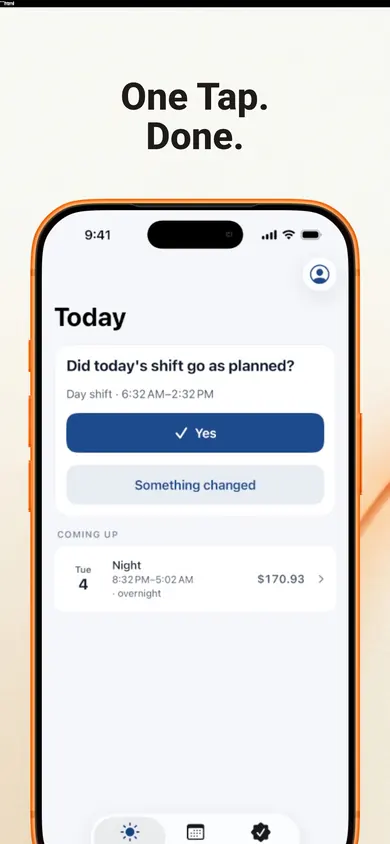
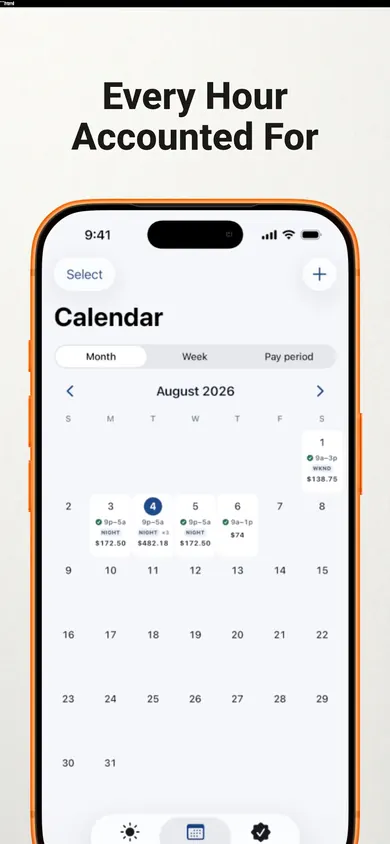
That is the kind of question EarnCheck is built to help you ask: you set your employer's real workweek, log each shift, then mark the overtime line on your statement as Match, Difference to Review or Incomplete Information. Then you copy a neutral note for payroll and send it yourself, if you want to.
Honest limits
- EarnCheck's presets are Ontario's 44-hour weekly rule, the U.S. federal 40-hour rule or your own agreement. The listing does not name an 8 and 80 preset; daily overtime and double time need EarnCheck Pro.
- The free version covers one job and one complete pay period, with weekly overtime and a payday comparison. Unlimited pay periods and multiple jobs are Pro (monthly or annual; the annual plan has a 7-day free trial for eligible customers).
- It is not legal advice and not a payroll system. Your payroll team or local labour authority can confirm what applies to you.
- iPhone only. Records stay on your device unless you export them.
Get EarnCheck free
Log this pay period's shifts, set your real workweek, and check the overtime line before the next payday.

Get EarnCheck free on the App Store · Updated November 2026
General information about overtime rules, not legal advice.
Related
- EarnCheck: the shift and pay tracker for iPhoneLog shifts, see your estimated gross pay with overtime, then compare it line by line with your pay statement. No account, no bank login.
- Home health aide timesheet printable, with travel timeA free printable weekly timesheet for home health aides, with a column for drive time between clients and a box to check your pay statement.
- Ontario overtime tracker apps, compared honestlyWhich iPhone hours tracker handles Ontario's 44-hour overtime rule? We checked four App Store listings, including our own, line by line.
- Pay stub abbreviations explained: 34 codes decodedREG, OT, FIT, OASDI, CPP, YTD: what each pay stub code means, whether it is pay or a deduction, and a decoder you can type into. U.S. and Canada.