
How do you stop double booking clients?
Keep every appointment in one calendar, check that calendar before you say yes to any time, and give each service its real length plus a buffer. Almost every double booking a solo pro makes comes from a yes given before looking, or from an appointment that lives in a message thread instead of the calendar.
A booking isn't real until it's in the one calendar you trust.
Proof: what a checked booking looks like
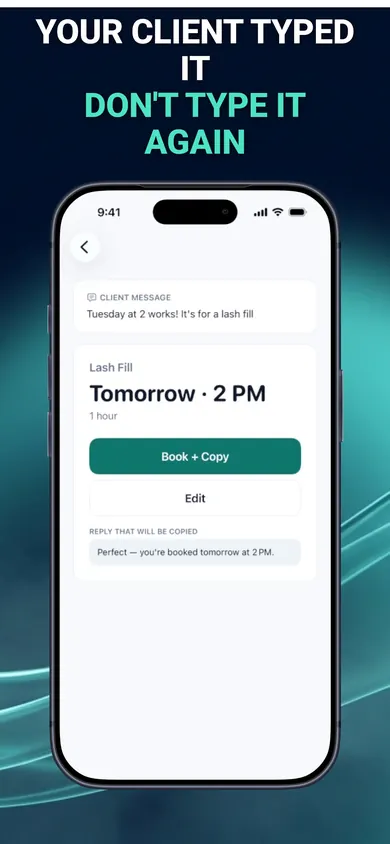
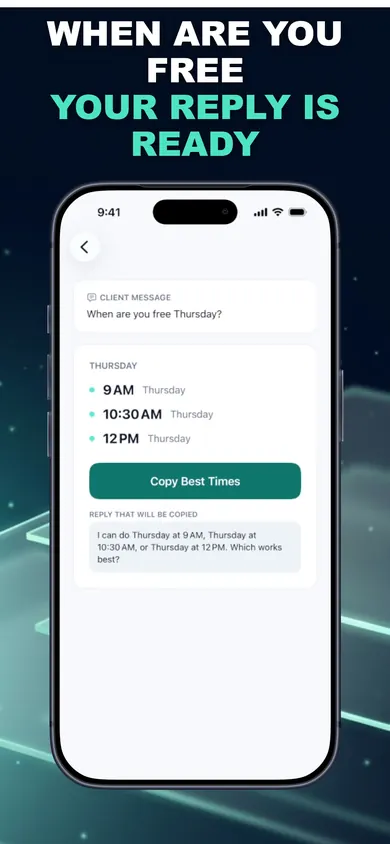
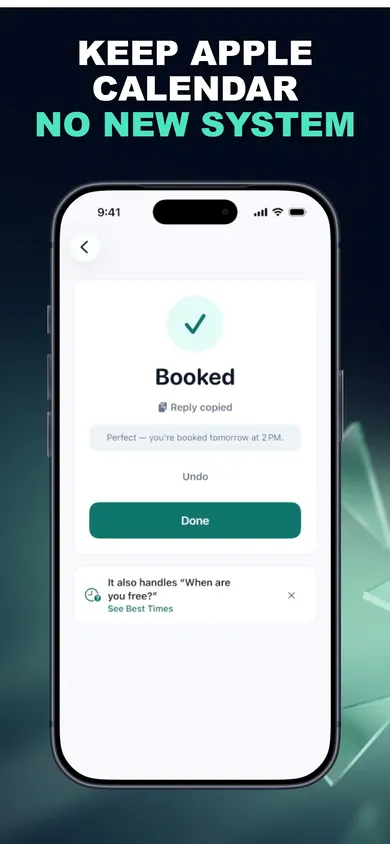
How to stop double booking clients in 3 steps
- Choose one calendar. Move everything, work and personal, into the calendar you will check every time. For BookingSolved, that is Apple Calendar.
- Fix your service lengths. Time your next three appointments of each type and set the real duration plus a buffer. Most overlaps are a 60-minute slot for a 75-minute job.
- Never confirm from memory. Paste or share the request, check it against the calendar, then reply. BookingSolved does the check, flags unclear dates, and prepares the reply for you to approve and send.
One design decision we made: if you tap Book twice, BookingSolved re-checks the Calendar and won't create a duplicate. A double tap on a busy day should not become a double booking.
Double booking questions
Why do I keep double booking clients?
For solo pros it is usually one of six things: confirming from memory, appointments that only live in text threads, two calendars, service lengths that are too short, unclear dates like "next Friday", and reschedules that leave the old slot in place. Fix the one that happened to you last.
What do I say to a client I double booked?
Own it quickly and offer something concrete: "I'm so sorry, I double booked 2 p.m. on Friday. That's on me. Could you do 11 or 4:30 instead?" If you want to add a small make-good, that is your call. Speed matters more than the perfect wording.
Do I need online booking to stop double bookings?
No. A booking page lets clients pick open slots themselves, which prevents many overlaps, but it means asking clients to use a link. If your clients prefer to text, the fix is checking one calendar before every yes.
Does Apple Calendar prevent double booking?
Apple Calendar shows overlapping events but does not stop you creating them. You still need to look before you confirm. BookingSolved does that look for you on each request and won't create a duplicate if you tap twice.
How much buffer time should I add between clients?
Enough for cleanup, payment and the usual late arrival. Many solo pros use 10 to 15 minutes; mobile pros add travel time. Set it per service so it is applied every time.
Does BookingSolved book clients automatically?
No. Nothing changes in your Calendar until you approve it, and you send every reply yourself. It never reads your messages in the background and never contacts clients.
Honest limits
- BookingSolved only works with Apple Calendar, on iPhone and iPad with iOS 18 or later. If your bookings live in Google Calendar or a salon system, it will not see them.
- It only checks requests you share with it. A booking you agree to in person and never enter is still invisible to every calendar.
- Your first 3 completed actions are free. BookingSolved Pro (monthly or yearly) adds unlimited bookings, reschedules and cancellations. Undo is always free.
- No booking page, no payments, no prices stored.
Who should pick something else
If you would rather clients choose their own slot so you never type a reply, a booking-page tool such as Square Appointments (which lists a free customer booking website) is the better fit. If you run a team with several chairs and shared calendars, you need scheduling software built for staff. BookingSolved is for one person whose clients text, and who wants every yes checked before it is sent.
Three ways solo pros stop double booking
Paper book or notes
Free and fast. Only works if it is the only place bookings go, and it never warns you.
Online booking page
Clients pick open slots themselves. Means sending a link and asking clients to use it.
BookingSolved (ours)
Clients keep texting. You share the message, it checks Apple Calendar, you approve and send.
The fix is not a new system. It is one calendar and one look before every yes.
Play free on iPhone with the next text
Paste the next booking message you get and see what it checks before you reply. Play free on iPhone: BookingSolved on the App Store.

Related
- BookingSolved: client booking from the messages you already getPaste a client's booking text and BookingSolved checks Apple Calendar, prepares the appointment and drafts your reply. You approve every step.
- Hair stylist holiday booking checklist: the 7-minute versionA free 7-minute holiday booking checklist for hair stylists, plus a printable December 2026 planner. Set your last day, buffers and full-up reply.
- Scheduling tutoring sessions with parents, by textParents text 'Can we do Thursday at 4?' all week. A calmer way for private tutors to turn those messages into calendar bookings and replies.
- Scheduling cleaning clients over the holidaysHoliday cleaning requests pile up fast. Work out how many cleans you can still fit, answer the common questions, and reply to clients from your iPhone.