What is BookingSolved?
BookingSolved is a client booking app for small, solo service businesses that turns appointment requests you already receive into Apple Calendar bookings, open-time suggestions and ready-to-send replies. There is no booking portal for clients to learn. You paste the text, check the details, approve, and send.
Your client already typed it. You shouldn't have to type it again.
How client booking works without a booking page
Add the request
Paste text, choose a screenshot, or use the Share Sheet. Only what you choose is read.
Review the details
Service, date, time and duration are found on your iPhone. Anything unclear is flagged, not guessed.
Approve
BookingSolved checks your Calendar and prepares the new appointment, reschedule or cancellation.
Reply
An editable confirmation is ready in a Friendly, Professional or Concise tone. You send it.
Four steps, and nothing changes in your Calendar until you say yes.
On the phone
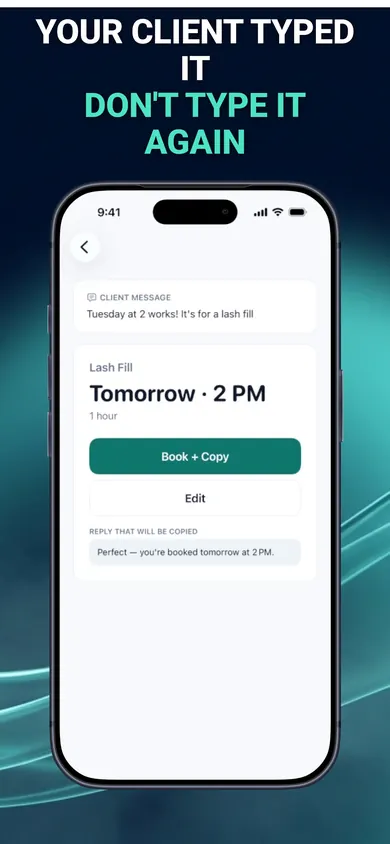
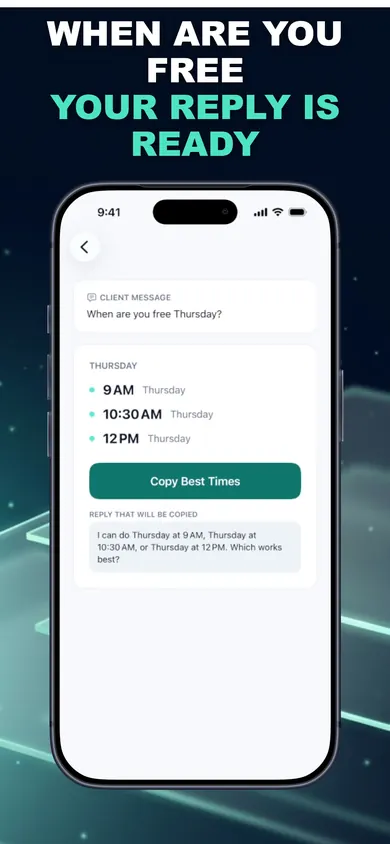
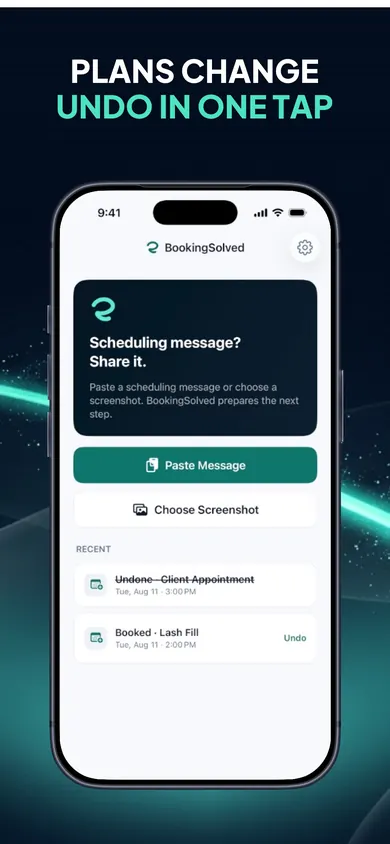
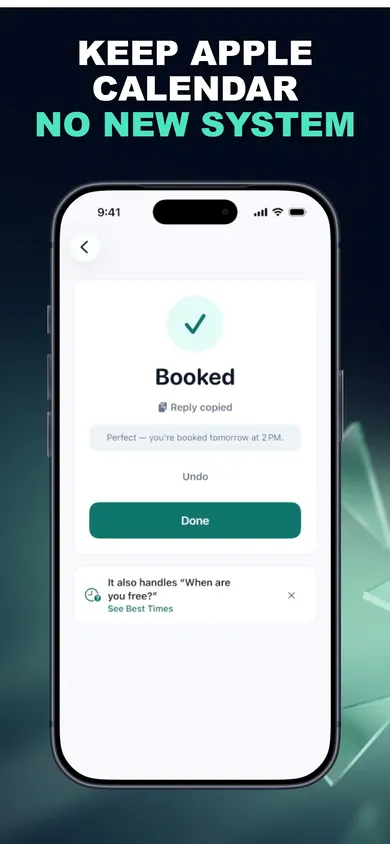
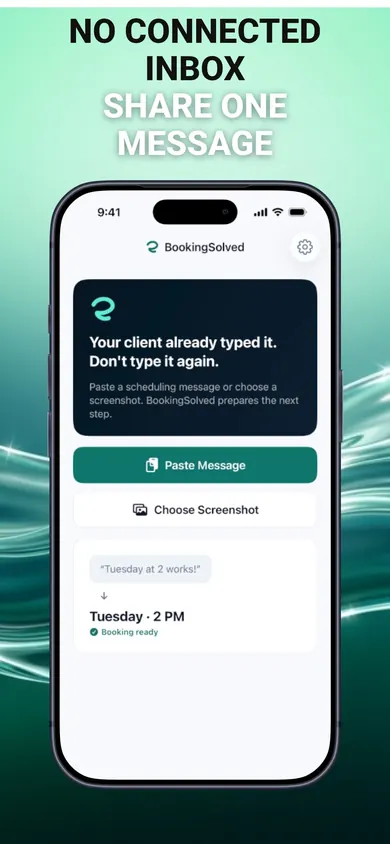
Booking app features for solo service businesses
- Open times on request. A few slots inside your business hours, around existing appointments, using each service's duration and buffer. If the asked-for time is taken, you get nearby alternatives.
- Reschedule and cancel safely. A before-and-after preview for moves; the exact event shown before a cancellation.
- Service presets. Starter lists for salons, barbershops, nail studios, cleaning services, auto detailing, tutoring and more. Edit every name, duration and prep or travel buffer. No prices are stored.
- Private. No account. Requests and screenshots are processed on your device. Apple and RevenueCat handle purchases and receive an anonymous ID and purchase status, never your messages or Calendar data.
Who should pick something else
- You want clients to book themselves 24/7 from a website link. A self-serve scheduling tool fits that better.
- You need deposits, payments or prices on bookings. BookingSolved stores no prices and takes no payments.
- You run bookings inside a salon platform or web scheduler. BookingSolved works through Apple Calendar on your device, not those systems.
- You are on Android. It needs iOS 18 or later on iPhone or iPad.
Client booking questions
Do my clients need to download anything or use a booking link?
No. Clients keep texting, messaging or emailing you the way they already do. You paste their message or share a screenshot into BookingSolved, and you send the reply yourself.
Does BookingSolved read my messages automatically?
No. It only reads the request you choose to paste, screenshot or share. It never reads your conversations in the background and never contacts clients. Requests and screenshots are processed on your device and are not uploaded.
Which calendar does it use?
Apple Calendar. It stays your source of truth. Nothing changes in your Calendar until you approve it, and BookingSolved re-checks right before saving so a double tap does not create a duplicate.
Is BookingSolved free?
Your first 3 completed actions are free so you can try the full workflow. BookingSolved Pro, a monthly or yearly subscription, adds unlimited bookings, reschedules and cancellations. The current price is shown in the app before you buy. Undo is always free.
What if a client writes something vague like next Friday?
Anything missing or unclear is flagged instead of guessed, so you can fill it in before anything is booked.
Can it reschedule and cancel appointments?
Yes. A message like Can we move it an hour later? finds the existing appointment and shows a before-and-after preview. Cancellations show the exact event first. Undo checks that nothing changed in Calendar before reversing anything.
Does it work on iPad, and what do I need?
It requires iOS 18 or later and works on iPhone and iPad. There is no account.
Book your next client from their text
Three free actions. Paste one real message and see.

Updated November 2026
More from BookingSolved
- Hair stylist holiday booking checklist: the 7-minute versionA free 7-minute holiday booking checklist for hair stylists, plus a printable December 2026 planner. Set your last day, buffers and full-up reply.
- Scheduling cleaning clients over the holidaysHoliday cleaning requests pile up fast. Work out how many cleans you can still fit, answer the common questions, and reply to clients from your iPhone.
- Scheduling tutoring sessions with parents, by textParents text 'Can we do Thursday at 4?' all week. A calmer way for private tutors to turn those messages into calendar bookings and replies.
- How to stop double booking clients when they book by textWhy solo pros double book clients who text, the 6 usual causes, and a fix for each. Tap a cause to see what stops it. Free on iPhone.
Related
- How to stop double booking clients when they book by textWhy solo pros double book clients who text, the 6 usual causes, and a fix for each. Tap a cause to see what stops it. Free on iPhone.
- Hair stylist holiday booking checklist: the 7-minute versionA free 7-minute holiday booking checklist for hair stylists, plus a printable December 2026 planner. Set your last day, buffers and full-up reply.
- Scheduling tutoring sessions with parents, by textParents text 'Can we do Thursday at 4?' all week. A calmer way for private tutors to turn those messages into calendar bookings and replies.
- Scheduling cleaning clients over the holidaysHoliday cleaning requests pile up fast. Work out how many cleans you can still fit, answer the common questions, and reply to clients from your iPhone.