
Is there an estimate app that shows profit margin?
Yes: ScopeBid shows customer price, direct cost, estimated gross profit, gross margin and markup on the quote before you send it, and of the four iPhone apps we checked, it's the only one whose App Store listing says so. Full disclosure: we make ScopeBid. We checked the other three listings on the U.S. App Store on November 3, 2026, and describe them below as their listings do.
Updated November 2026
Honest limits, ours first
- Gross, not net. Profit Guard counts the direct cost you enter: labor and materials on that job. Your truck, insurance and phone bill aren't in it unless you price them in.
- No card processing. ScopeBid records payments; it doesn't move money.
- One phone, no cloud. No account and no cloud copy. Great for privacy, awkward if an office manager needs to see your quotes. Export a backup from Settings.
- Paid after 3 quotes. Unlimited quoting needs ScopeBid Pro, monthly or annual.
Who should pick something else
- Crews with a dispatcher who schedule many techs: Jobber is built around organizing a service business, with online payments and customer sign-off.
- You mainly send invoices and want to be paid online: Invoice Simple lists online payments and receipt and expense tracking.
- You want cloud estimates with QuickBooks sync: Joist calls itself a cloud application and sells a QuickBooks Sync add-on.
ScopeBid is for the owner-operator who quotes alone, often in a driveway with one bar of signal, and wants to know the margin before the customer does.
Markup vs margin: what the calculator just showed you
The calculator at the top does two divisions. Margin = profit ÷ price. Markup = profit ÷ cost. Handymen who price by “cost plus 50%” often believe they keep half the job. They don't.
| Markup on cost | Your real margin |
|---|---|
| 25% | 20% |
| 50% | 33.3% |
| 100% | 50% |
| 150% | 60% |
A 50% markup is a 33% margin. Price with one number, but read both.
Four iPhone estimate apps, checked November 3, 2026
From each app's U.S. App Store listing. “Not listed” means the listing doesn't mention it, not that the product can't do it.
| ScopeBid (ours) | Joist | Invoice Simple | Jobber | |
|---|---|---|---|---|
| Margin before sending | Yes, plus markup | Not listed | Not listed | Not listed |
| Works offline | Yes | Cloud app | Not listed | Not listed |
| Customer signature | On screen | Yes | Your signature | Yes |
| Online card payments | No, records only | Not listed | Yes | Yes |
| Price shown | 3 quotes free, then Pro | Pro $13.99/mo or $139.99/yr | Plans from $6.99/mo | Free download, in-app purchases |
Profit Guard in ScopeBid
The quote screen keeps price, cost, profit, margin and markup in separate rows. An optional minimum-margin warning flags a thin quote; you can override it. Sales tax is never counted as profit, and your cost and margin never print on the customer's PDF.
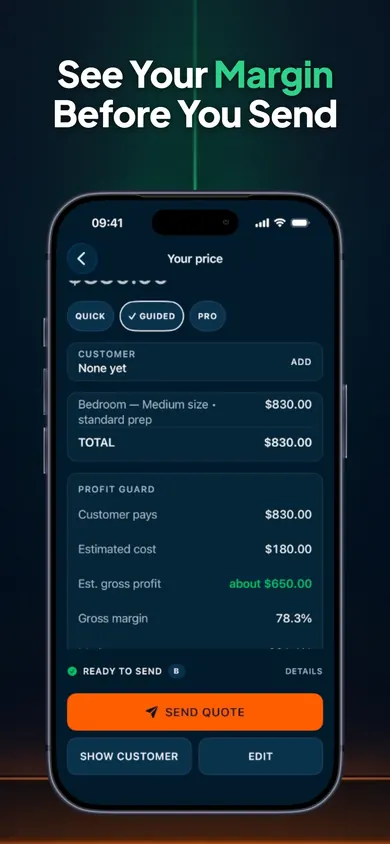
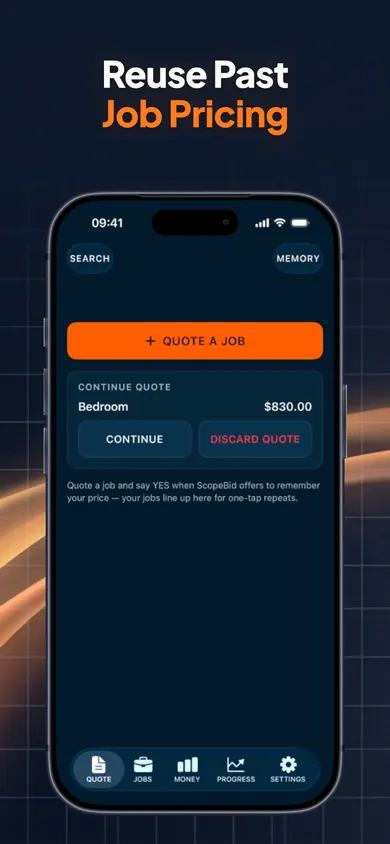
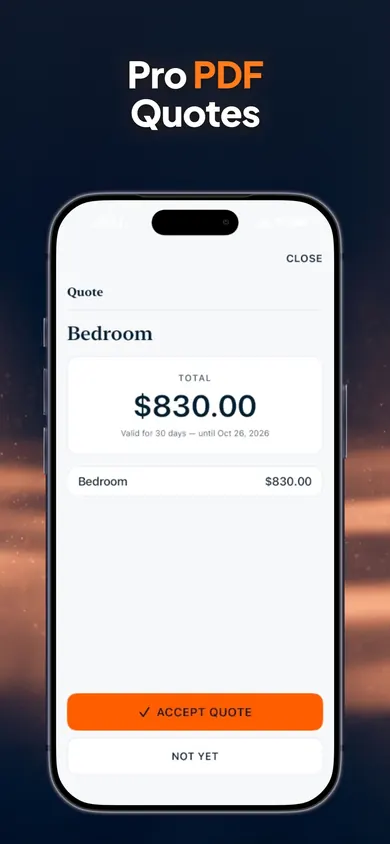
A design decision we made: margin and markup sit side by side instead of one “profit %” badge, because a single percentage is exactly how the cost-plus-50 mistake happens.
The 10% off text
A handyman quotes a fence repair at $640. Materials and a helper for the afternoon come to $260. The homeowner texts back: “Could you do 10% off?” It sounds small. In ScopeBid, typing the discount drops the price to $576 and the margin from 59.4% to 54.9%, and the gross profit from $380 to $316. Sixty-four dollars, all of it from profit.
Maybe that's still a yes. The point is deciding with the number on screen, standing in the driveway, instead of finding out at the end of the month.
Questions about margin and estimate apps
What is the difference between markup and margin?
Markup is profit divided by your cost. Margin is profit divided by the customer's price. On a $640 job that costs you $260, profit is $380: markup is 146%, margin is 59%. Same job, two very different-looking numbers.
Which estimate app shows profit margin before sending?
Of the four iPhone apps we checked on November 3, 2026, only ScopeBid's App Store listing describes showing gross margin and markup before a quote is sent. Joist, Invoice Simple and Jobber don't mention margin in their listings; their websites or desktop plans may offer more, so check there.
Does ScopeBid work without internet?
Yes. Its listing says quoting, PDFs, invoices and records work with no internet, and there's no account and no cloud copy of your business data. That also means no shared office login.
Is ScopeBid free?
Your first 3 quotes are free with full PDFs, and everything you create stays viewable and exportable. ScopeBid Pro (monthly or annual) is needed for unlimited quoting, the full Business Memory, job costing and invoicing. Prices for your country show in the app before purchase.
Can ScopeBid take card payments?
No. It records payments received by cash, cheque, e-transfer, bank transfer or a card terminal and tracks the balance, but it doesn't process cards. If you want customers to pay online from the invoice, Invoice Simple and Jobber both list online payments.
Does a discount come out of my margin?
All of it does. A 10% discount on the $640 job above removes $64 of price but none of your $260 cost, so margin drops from 59% to 55%. ScopeBid shows that change as you type the discount.
General information, not accounting or tax advice. You set your own tax rates and stay responsible for compliance.
Start on your iPhone with your next quote
Three quotes free, margin on every one. Start on your iPhone and price the next job with both numbers in view.

Related
- Losing money on handyman jobs? Find the leakBusy but broke? Put one real handyman job into our free calculator and see where the money goes: drive time, materials, markup vs margin.
- ScopeBid: the estimate and invoice app for contractorsQuote jobs from saved pricing, see your margin before you send, share a PDF and turn the approved quote into an invoice. Works offline.
- Handyman minimum charge calculatorWork out your handyman minimum charge and trip fee in 3 taps: drive time, rate and job size, with the 2026 IRS mileage rate. Free, no sign-up.
- Markup vs margin for landscapers: a mixed-job calculatorPlants, materials and crew hours carry different markups. Flip 4 myths, then blend them into one landscaping job margin with our free calculator.